
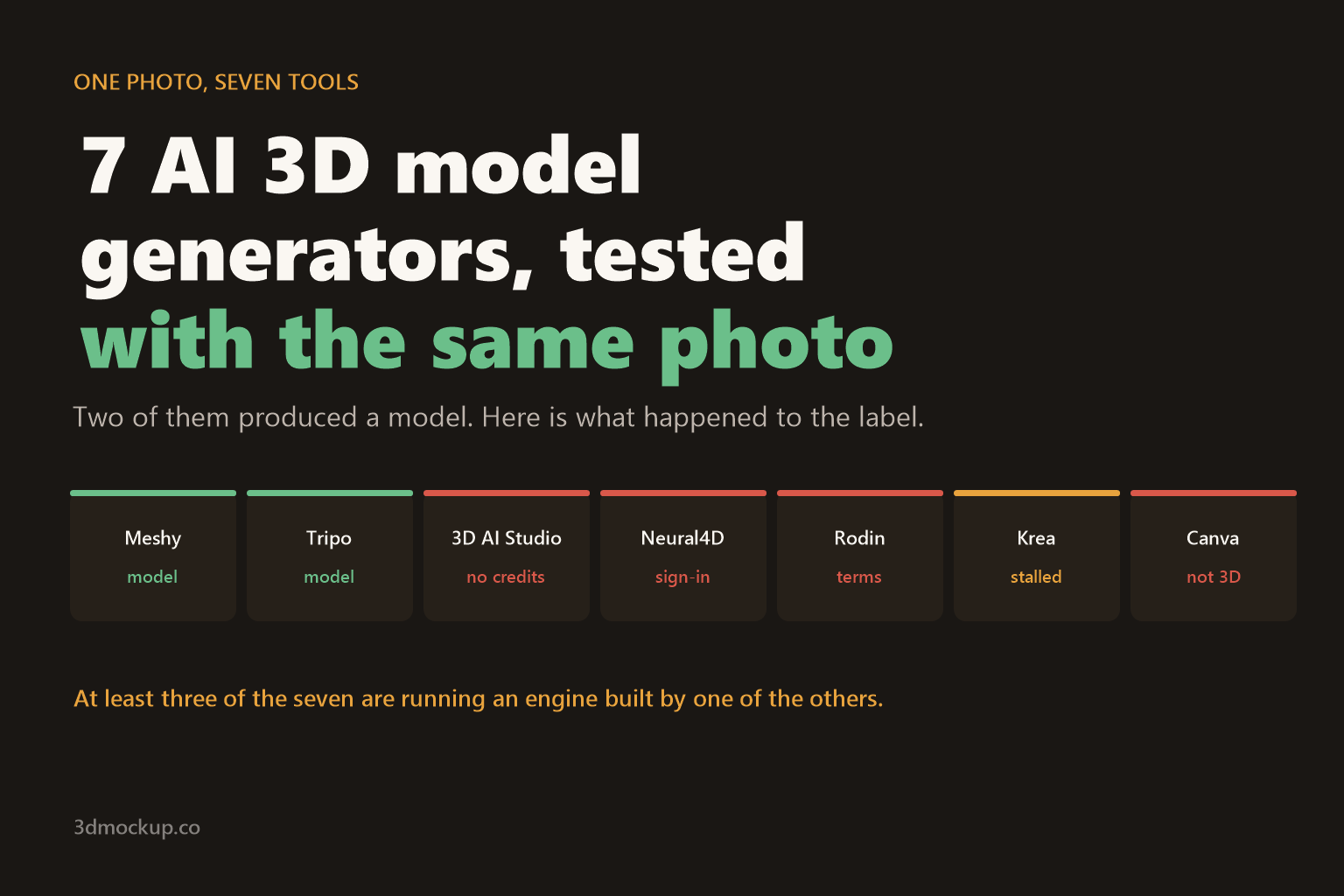
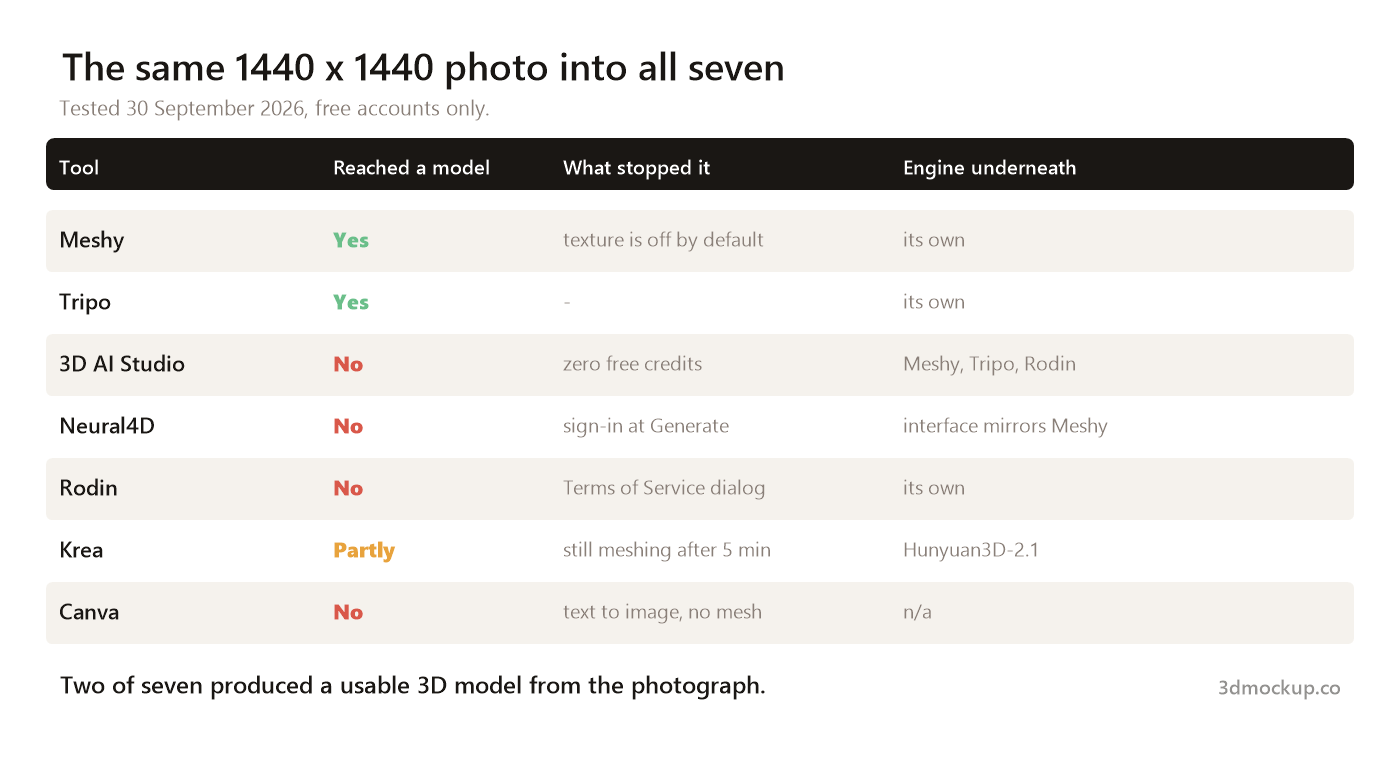
Two of seven. That is how many AI 3D model generators turned one product photograph into a usable 3D model. The other five stopped at a sign-in box, a terms dialog, an empty credit balance, a stalled queue, or a tool that does not make 3D models at all despite ranking for the phrase.
Why one photo, and why this photo
Most “best AI 3D generator” lists compare feature tables. Almost none of them put the same file through every tool, which is the only way to see what actually comes out. If the format is new to you, this is what a 3D mockup is and how it differs from a photograph.
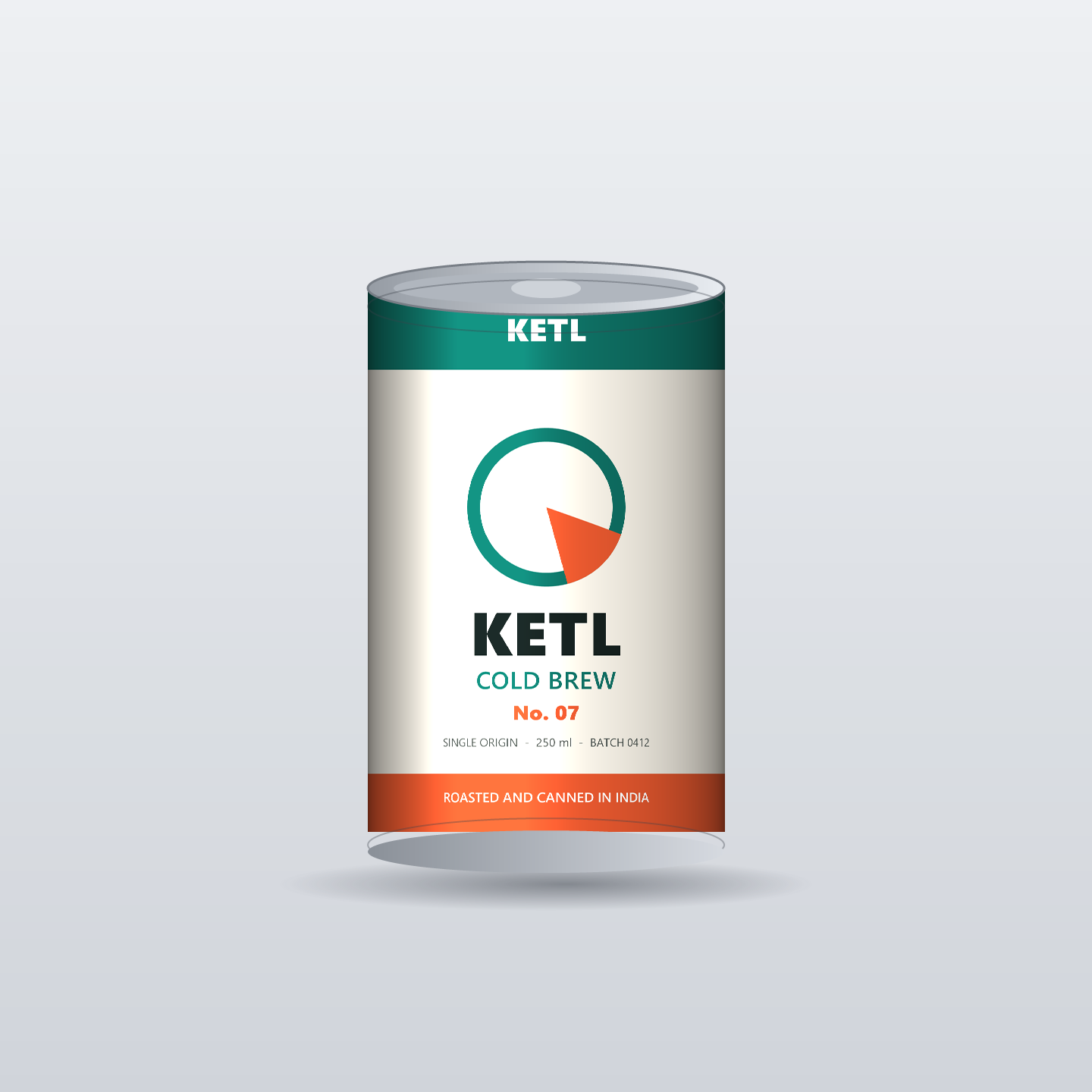
So I built one: a 1440 x 1440 render of a cold brew can, with a label designed to be diagnostic. Because I authored the label, the ground truth is not a guess.
- The wordmark KETL appears twice, once small in white on the teal band and once large in near-black.
- An asymmetric mark: a teal ring with a coral notch at the lower right only. If a tool mirrors or smooths the shape, the notch moves and you can see it.
- COLD BREW in teal and No. 07 in coral, to test mid-size type and numerals.
- Fine print: SINGLE ORIGIN – 250 ml – BATCH 0412. This is the line that decides whether a model is usable for a real product listing.
- Flat brand colours with known values, so colour drift is measurable rather than a feeling.
What came back
Meshy: the default setting costs you the label
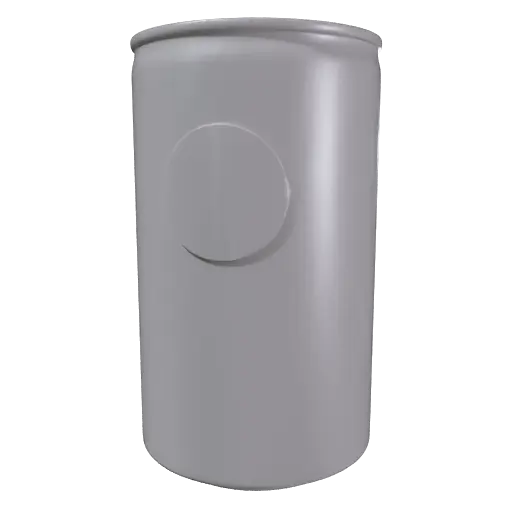
Meshy reached a model in about two minutes and reported 155,400 faces and 77,702 vertices.
But press Generate on a fresh account and you get a grey mesh with no label at all, because Texture is switched off by default. Worse, it read the printed ring logo as physical relief and embossed it into the can wall as a raised disc. A flat print became geometry.
Switching Texture on changes the picture completely.
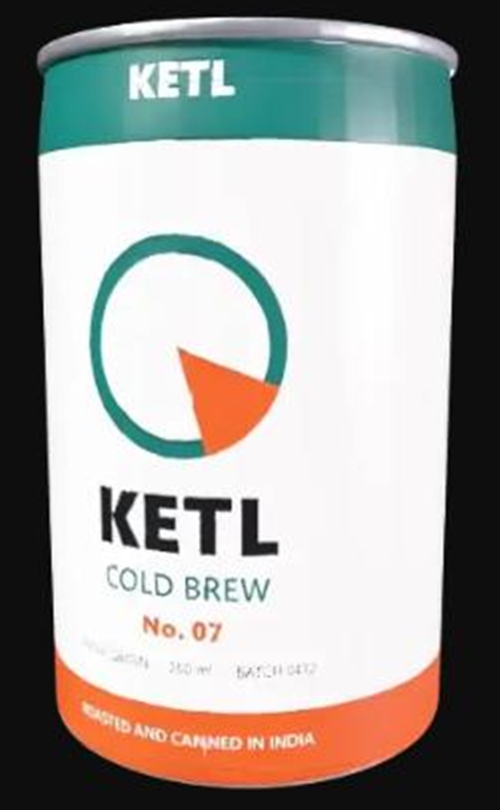
The colours land close to source and the large type is readable: the top band, the wordmark, COLD BREW and No. 07 all come through. The notch on the ring survives. The fine print does not — it is mush. The coral band also runs at an angle instead of level, and the can’s top rim is malformed.
Tripo: the best result of the seven
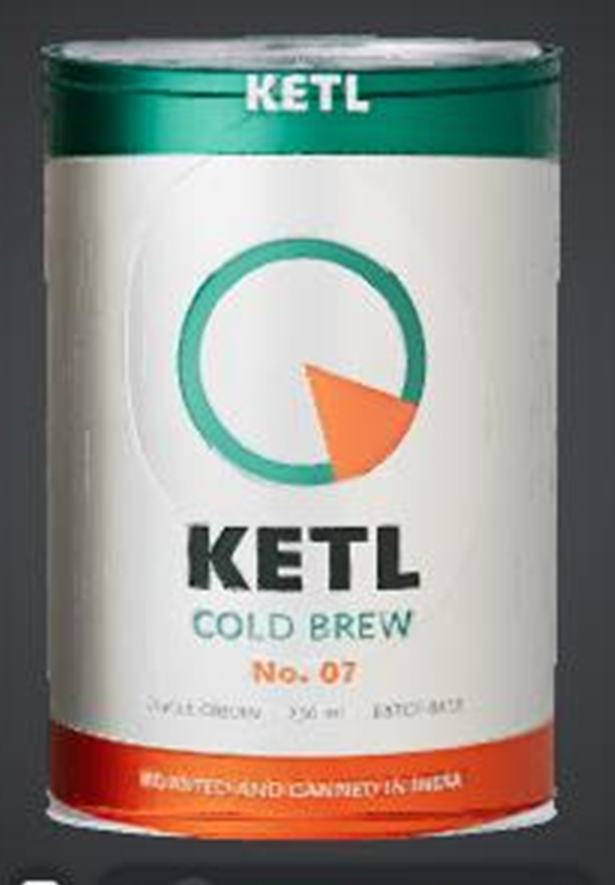
Tripo produced 1,881,847 faces and 978,855 vertices, roughly twelve times Meshy’s count, and exports to OBJ, FBX, STL and GLB. Texture is on by default here. Which of those four you actually want is a separate question, and GLB vs GLTF vs OBJ vs FBX covers it.
The wordmark is crisp. COLD BREW and No. 07 are crisp. The bottom band is readable. The fine print is the interesting part: you can see there are three groups of characters, but you cannot confidently read “250 ml” or “BATCH 0412”. Close, and still not good enough to put on a listing.
Two costs worth knowing. Colour drifts — the coral reads more orange and the teal reads mintier than source. And the label picks up faint vertical ribbing that is not in the original.
On the free plan you get 200 credits a month and one generation costs 55, so the free tier is about three models a month.
The five that did not produce a model
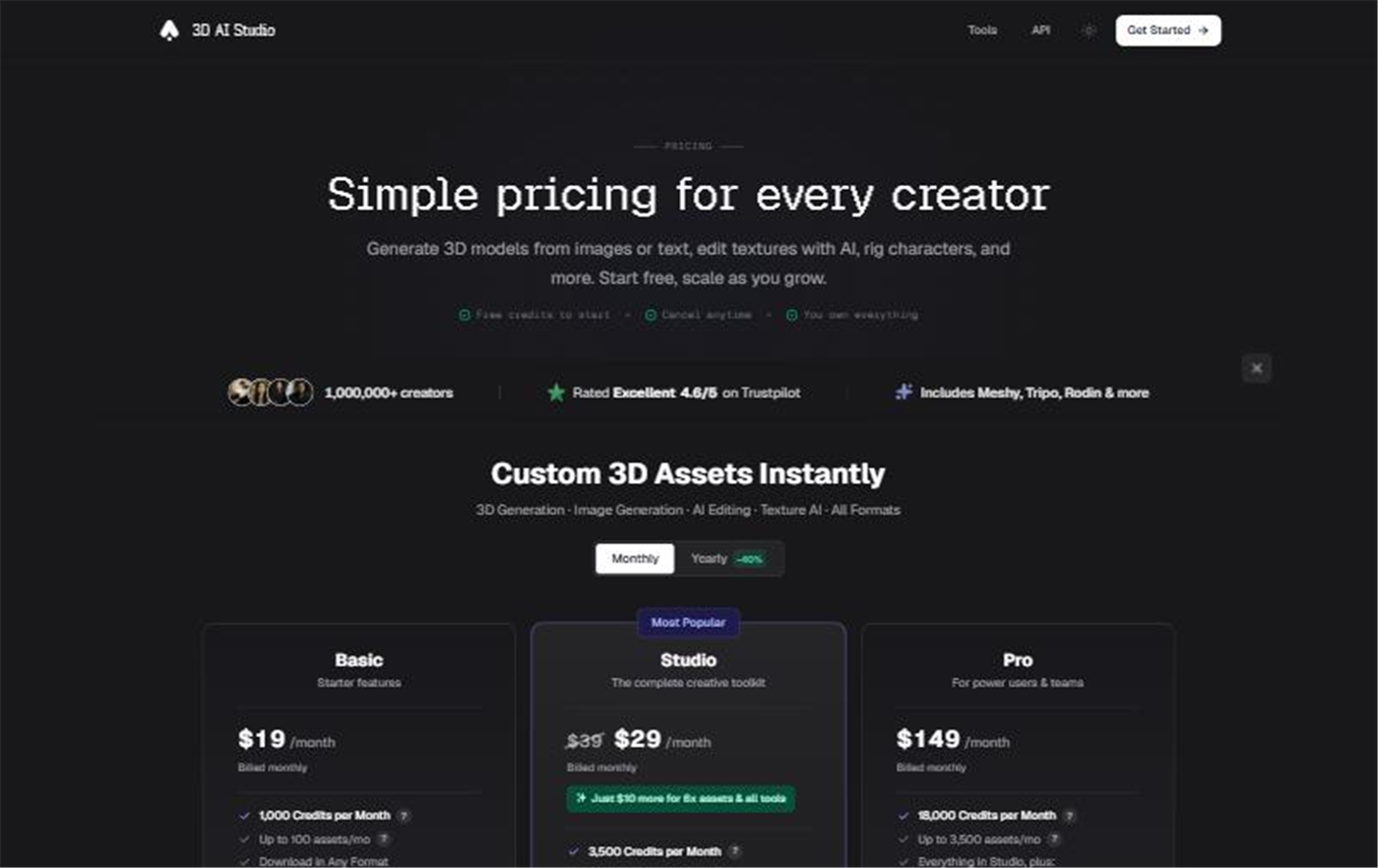
3D AI Studio opened on a signed-in free account with “No credits available”. Nothing to test.
Neural4D let me upload the can and set mesh quality, topology, polycount and pose, then demanded a sign-in the moment I pressed Generate. Texture is off by default here too.
Rodin opens behind a Terms of Service dialog. Accepting a legal agreement on someone’s account is not mine to click, so the test stopped there. Its entry plan is 24 dollars a month for 30 credits.
Krea started properly, showing Queue, Mesh and Texture stages. After five minutes the preview was still a faceted blob and the texture stage had not begun. It may finish given longer.

Canva ranks on page one for this search and does not do the job. There is no image upload. Canva’s own copy says its AI model maker “uses your text prompts to generate beautiful 3D images”. Text in, picture out. No mesh, no OBJ, no GLB.

The thing no listicle tells you
Several of these are not separate engines.
- 3D AI Studio says on its own pricing page: “Includes Meshy, Tripo, Rodin & more.”
- Krea names its engine in the interface: Hunyuan3D-2.1, which is Tencent’s model.
- Neural4D‘s studio is laid out almost identically to Meshy’s, down to the left rail and the assets panel.

So a list of ten AI 3D generators may really be three or four models wearing different pricing. When you compare, compare the engine, not the landing page.
What this means if you sell a product
Image-to-3D is genuinely useful now for shape. Both working tools understood that a can is a cylinder with a rim, and got the proportions right. If a can is what you are actually selling, the template route is a 3D can mockup — same object, artwork kept sharp.
It is not there for type. Neither tool reproduced a line of 30-pixel text. If your label carries a weight, a volume, an ingredient list or a batch code — anything a buyer or a marketplace needs to read — an AI rebuild will not carry it. If the listing is going on a marketplace, 3D mockups for Etsy listings is the next thing to read.
That is not a bug to be patched. These models are guessing pixels from one viewpoint. A 3D mockup template takes a different route: your artwork is mapped onto known geometry, so what you uploaded is what renders, at every angle and in every frame. For packaging specifically that means a 3D packaging mockup generator with the can, box or pouch already modelled.
The practical split: reach for image-to-3D when you need a rough solid of an object you do not have a model for. Reach for a template when the artwork has to stay readable; the round-up of 3D mockup tools covers the options.
AI 3D model generator FAQ
Can AI turn a photo into a 3D model?
Yes, but only two of the seven tools tested here managed it from a single photo: Meshy and Tripo. Both rebuilt the can’s shape correctly. Neither reproduced the fine print on the label. Treat AI image-to-3D as a way to get a shape, not a way to get a readable product label.
Which AI 3D model generator is free?
Tripo gives 200 credits a month and charges 55 per image-to-3D run, which works out to about three models a month. Meshy starts at 100 credits plus 30 from a daily check-in, at 20 credits a run. 3D AI Studio’s free account showed zero credits and could not generate anything at all.
Why does my AI 3D model have no colour or logo?
Because texture is switched off by default. Meshy and Neural4D both ship with the Texture toggle off, so pressing Generate returns a grey untextured mesh. Tripo has it on by default. Check that one switch before you spend credits, because the geometry pass costs the same either way.
Does AI 3D keep the text on my packaging?
Only the large text. In this test the wordmark, “COLD BREW” and “No. 07” survived in both tools that finished. The fine print — SINGLE ORIGIN - 250 ml - BATCH 0412 — came back as mush in Meshy and as unreadable shapes in Tripo. Anything under roughly 30 px in the source image did not survive.
What file format do AI 3D generators export?
Tripo offered OBJ, FBX, STL and GLB. Which one you want depends on where the model is going next, and GLB vs GLTF vs OBJ vs FBX covers the difference. For a web viewer, GLB is usually the right answer.
Do I need an AI 3D model to make a product mockup?
Usually not. If the goal is a listing image or an ad, a 3D packaging mockup generator already has the can, box or pouch modelled, and it keeps your artwork sharp because your file is applied as a texture rather than rebuilt by a model. AI image-to-3D is for when you need the mesh itself.
Method
One 1440 x 1440 PNG into seven tools on 30 September 2026, free accounts only, no paid plans. Where a tool asked for payment, a sign-in or a legal agreement, the test stopped there and that is recorded as the result — because that is the experience a first-time visitor gets. Credit costs, face counts and pricing are quoted from what each tool displayed on the day.