

Your Etsy thumbnail gets about half a second. That’s the whole pitch — one square image competing against dozens of near-identical results. Using 3D mockups for Etsy listings gives you two advantages there: you can produce a full, consistent image set without ordering samples, and you can export listing video, which Etsy actively favours.
What follows is the practical version. Image order, sizing, video, licence rules, and the specific mistakes that quietly cost you clicks.
Table of Contents
Why 3D beats flat mockups on Etsy specifically
Etsy shoppers scroll fast and buy on trust. Two things build that trust in a listing: seeing the product from more than one angle, and seeing it in a believable context.
Flat PSD mockups give you one angle per template. Want a back view? Different template, different lighting, different model — and now your listing looks like it was assembled from three separate shops. A 3D model solves this because it’s the same object rotated. Front, back, three-quarter, close-up on the print: identical lighting, identical background, one coherent set.
The second advantage is motion. Etsy gives listing videos prominent placement, and a rotating product reads as “this is real” in a way a static image can’t. If you’ve never worked with 3D before, the primer on what is a 3D mockup explains the difference before you start.
The Etsy image set that works
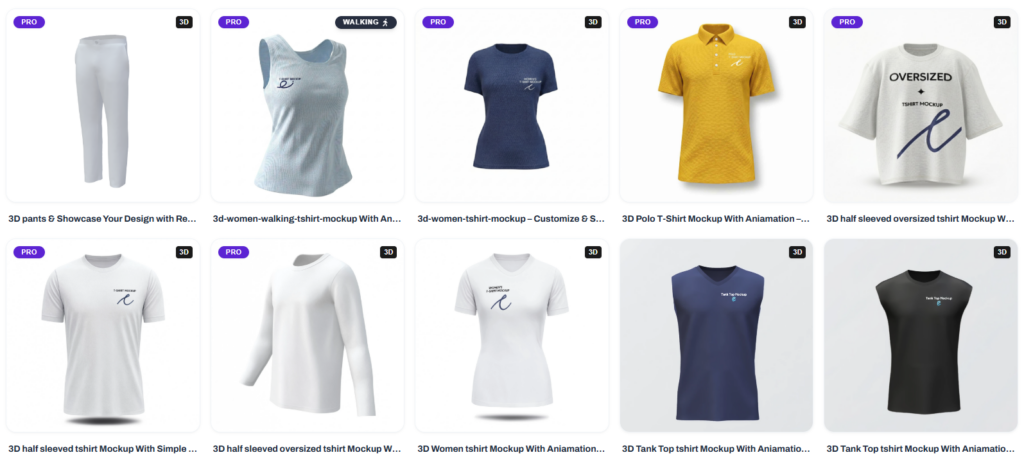
Etsy allows up to ten photos plus one video per listing. Most sellers upload four and stop. Here’s an order that consistently works better:
- Hero shot — product front-on, clean background, design filling the frame. This is your thumbnail. Everything else is secondary.
- Lifestyle scene — the product in a plausible setting. Context helps buyers imagine owning it.
- Back or alternate angle — proves the product is real and complete.
- Close-up on the design — shows print detail and reassures on quality.
- Colour or size variants — one image showing every option you sell.
- Scale reference — something that communicates actual size. Mugs and prints need this badly.
- Care or sizing info — a simple text graphic. Cuts down on messages.
8–10. Extra angles, packaging, gift presentation — optional, but they fill the carousel and signal effort.
Then the video. Even a four-second rotation is better than nothing.
Sizing and format: get this right first
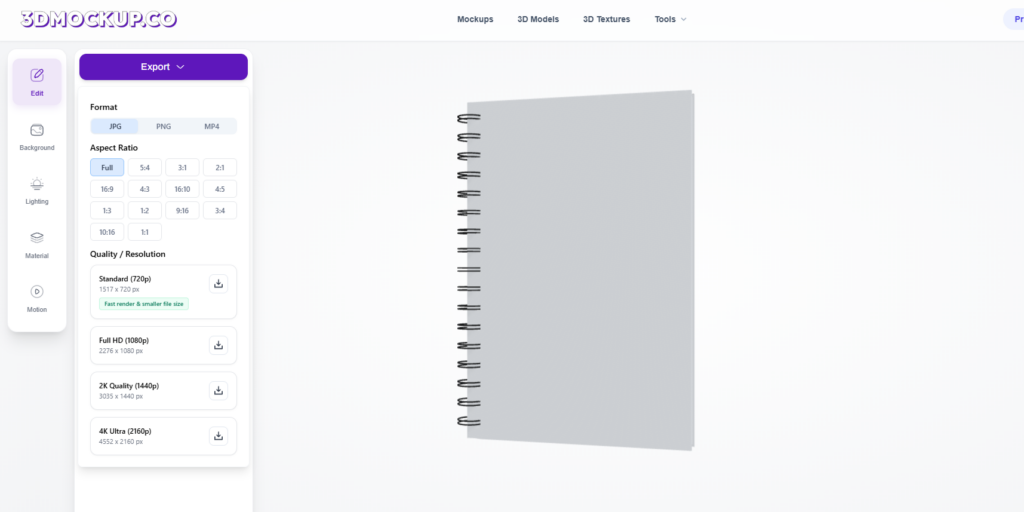
Etsy displays thumbnails as squares. If you compose a tall image, Etsy crops the middle and your design ends up sliced.
Compose square. 2000 × 2000 px is a safe target. Etsy recommends at least 2000px on the shortest side so the zoom function works properly.
Leave breathing room. Keep your product about 10–15% clear of the edges. Etsy’s crop is not always kind, and a design that touches the frame edge looks cramped in the grid.
Export as JPG for photos, PNG if you need transparency. File size under Etsy’s limit, obviously, but don’t compress so hard that print detail turns mushy.
Match your set. Same background, same lighting, same camera angle logic across all ten. Inconsistency is the single clearest signal of an amateur shop.
Building the set: a workable process
Start with apparel since it’s the most common Etsy POD category. Upload your design to a t-shirt or hoodie model, position it, then rotate through the angles you need and export each one. The walkthrough on making a 3D t-shirt mockup covers positioning and print-area sizing in detail.
For mugs, drinkware and home goods, the same flow applies but scale matters more — a design that looks bold on screen can print surprisingly small on an 11 oz mug. The 3D mug mockup templates let you check that before you list.
Do the whole range in one sitting. If you sell a design in five colours, produce all five with the same camera and background. Coming back in a week and rebuilding one variant is how sets drift.
Listing video: the underused lever
Etsy surfaces listings with video more prominently, and most sellers still skip it because they assume it means filming something.
It doesn’t. A 3D mockup can export a rotation as MP4 directly.
Keep it short — four to eight seconds. Loop-friendly, so the rotation ends where it started. No text overlays; Etsy’s player is small and text turns to mush. If your product has a back print or an interesting detail, make sure the rotation passes it.
For apparel, walking or wind animations read better than a plain spin because the fabric moves. That’s the closest thing to a real product video you’ll get without a photoshoot. The roundup of video mockup generators compares which tools export clean MP4 versus which watermark it.
The licence question, seriously
This is where sellers get into trouble, and it’s boring enough that people skip it.
Check the commercial licence on every mockup tool you use. Some free tools permit personal use only. Some allow commercial use but forbid resale of the mockup itself. Some watermark free exports and take action if you remove it.
Never redistribute a blank mockup. Almost every licence forbids selling or sharing the empty template with no design applied.
Your design still has to be yours. A licensed mockup doesn’t launder a copyrighted graphic. Etsy’s IP enforcement is fast and shop suspensions are not fun.
Read the terms once, save yourself a takedown.
Mistakes that quietly kill your click-through rate
A busy background in the thumbnail. At grid size the product has to read instantly. Save the lifestyle scene for image two.
Design too small on the product. A print that fills 30% of a shirt looks timid in a thumbnail. Size it the way it will actually print, but check how it reads at 200px wide.
Mixing 2D and 3D mockups in one set. They light differently and the mismatch is visible even if buyers can’t articulate it.
Ignoring the crop. Test your hero image at thumbnail size before you upload. Shrink it on your screen. If the design isn’t legible, redo it.
Every listing looking identical. Consistency within a listing is good. Every product in your shop on the exact same grey gradient gets monotonous. Vary the lifestyle images while keeping the hero shots consistent.
Does this work outside apparel?
Yes, and packaging is where 3D pulls furthest ahead. Candle labels, coffee bags, cosmetic tubes, skincare bottles — flat PSD templates for these are scarce and expensive, while 3D generators cover them as standard categories.
For soft goods generally, the guide to 3D clothing mockups walks through fabric, fit and texture settings that make apparel read as real rather than plastic.
FAQ
Conclusion
Using 3D mockups for Etsy listings isn’t about having prettier images than the next shop. It’s about producing a complete, consistent set — hero, lifestyle, angles, detail, variants, plus a video — without ordering a single sample.
Compose square, fill the slots, add the rotation, and check your licence terms. Then go build a set on 3dmockup.co and compare your new thumbnail against the current one at grid size. That comparison usually settles the argument.
Can I use mockups on Etsy instead of real photos?
Yes. Etsy permits mockups for print-on-demand and made-to-order products, and it’s standard practice. Your listing description should be accurate about what the buyer receives, and you shouldn’t present a mockup as a photograph of the exact item shipping to them.
How many photos should an Etsy listing have?
Use as many of the ten slots as you meaningfully can — most sellers who fill seven or more see better engagement than those posting three. Add the video too; it’s a separate slot and costs you nothing extra.
Does Etsy allow AI-generated product images?
Etsy’s policies have shifted in this area, so check the current seller handbook before relying on AI-generated imagery. A 3D mockup is a different thing — it’s your artwork rendered on a modelled product, not an image invented by a generative model.
Do listing videos actually help on Etsy?
Etsy gives video prominent placement in the listing carousel, and sellers widely report better engagement on listings that include one. A short product rotation is enough — you don’t need production value.
What size should Etsy listing images be?
Square, at least 2000 × 2000 px, so zoom works and the thumbnail crop doesn’t cut your design. Keep the product clear of the edges.