
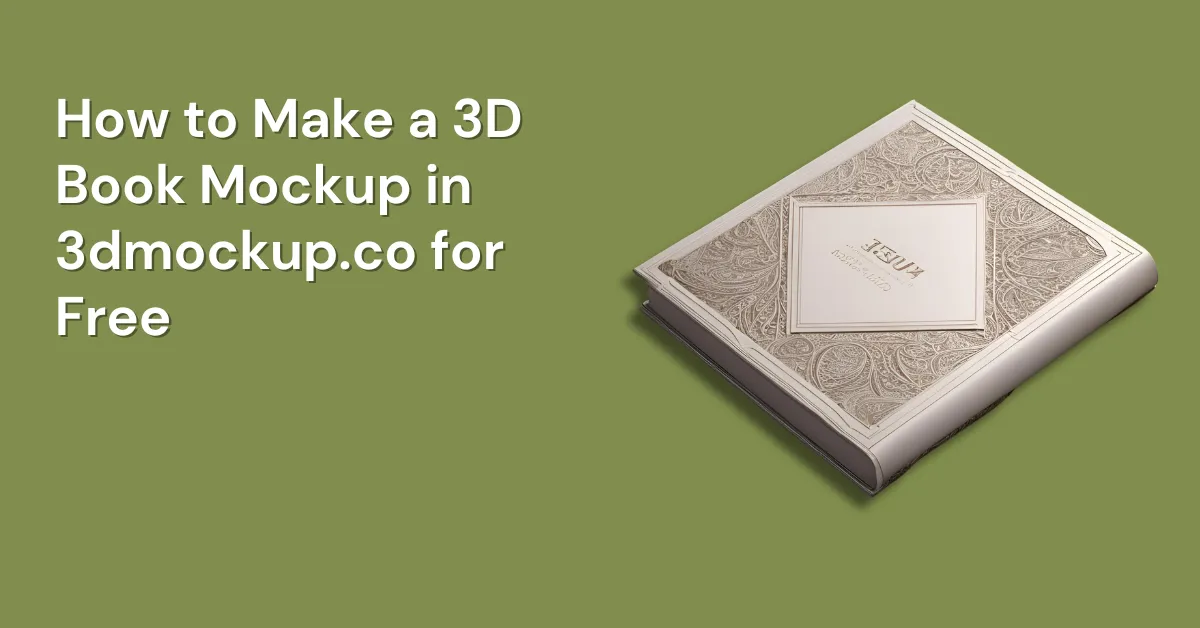
If you have made a book cover design, you may want to show it in a realistic way. our 3D book mockup Generator helps you do that. It looks like a real book photo, but it is created online. You don’t need Photoshop. You don’t need any design skills either.
With 3DMockup.co, you can make a 3D book mockup in a few minutes using drag and drop.
Table of Contents
What is a 3D Book Mockup?
A 3D book mockup is a 3D preview of your book cover. It shows how your cover will look on a real book from different angles. It is very useful for:
- Book launches and ads
- Book Cover Selling on POD Platform
- Author websites
- Client presentations (if you design covers)
- Amazon Kindle / KDP previews
It makes your cover look more professional.
How to Make a 3D Book Mockup in 3DMockup.co
Follow these 5 simple steps and you can create a beautiful 3D book mockup without any hassle — in under 5 minutes.
Step 1 – Search on Google 3dMockup.co
First, search for 3DMockup.co on Google. You can also search using keywords like “3D mockup”, and you will find our website at the top.
Before that, please make sure your book cover design is ready and saved in high quality.
Step 2 – Open and Log In on 3DMockup.co
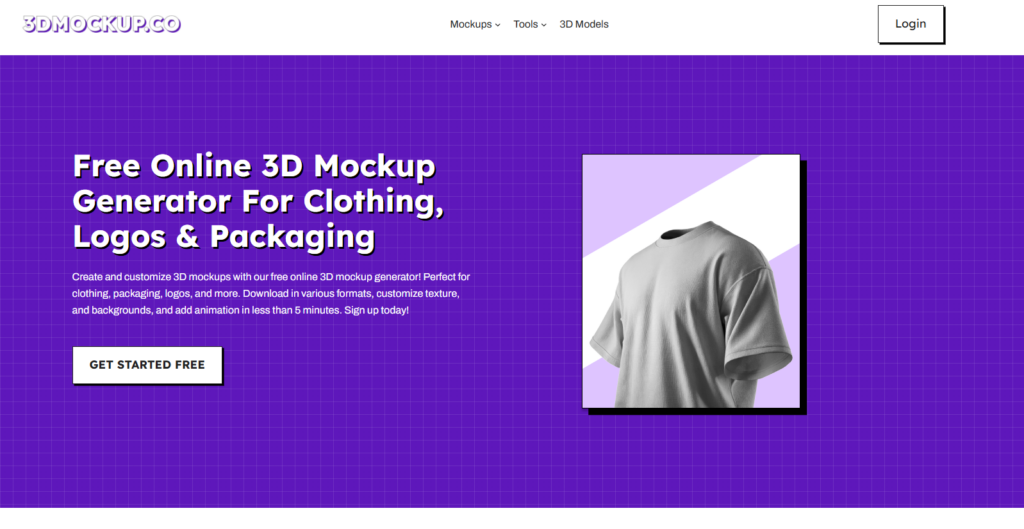
As soon as you find 3dmockup.co, open the website. I suggest that you log in first because you will need to be logged in to download mockups later. So it’s better to do it in advance. After logging in, you can use the editor smoothly and save your mockups easily.
Step 3 – Go to Print Category
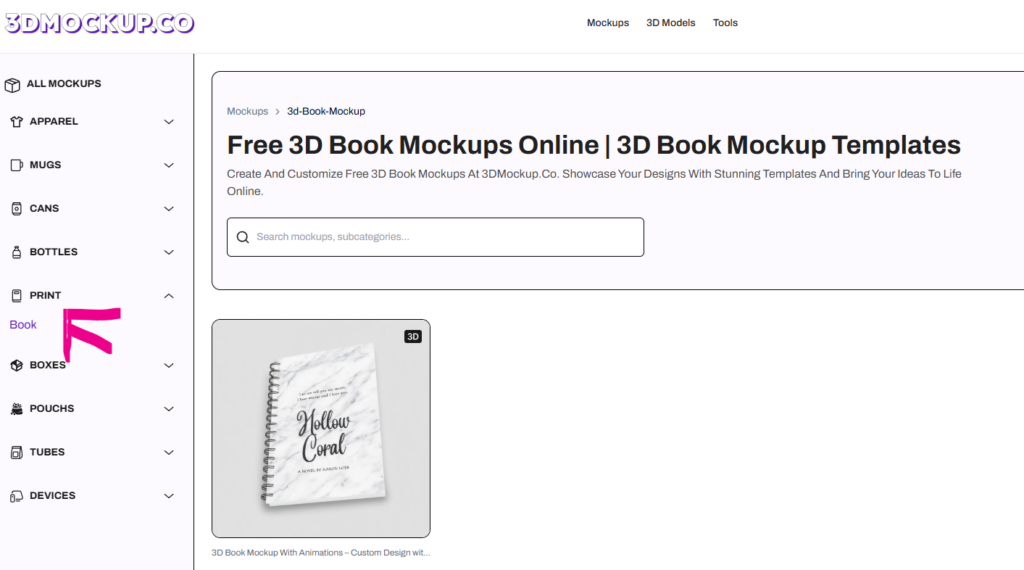
After logging in, you will be taken to the mockups catalog. On the left side, you will see different categories. Click on the Print category.Under the Print section, you will find the 3d Book Mockup category.
From here, you can choose any book mockup based on your requirement.
Step 4 – Upload & Customize Your Design
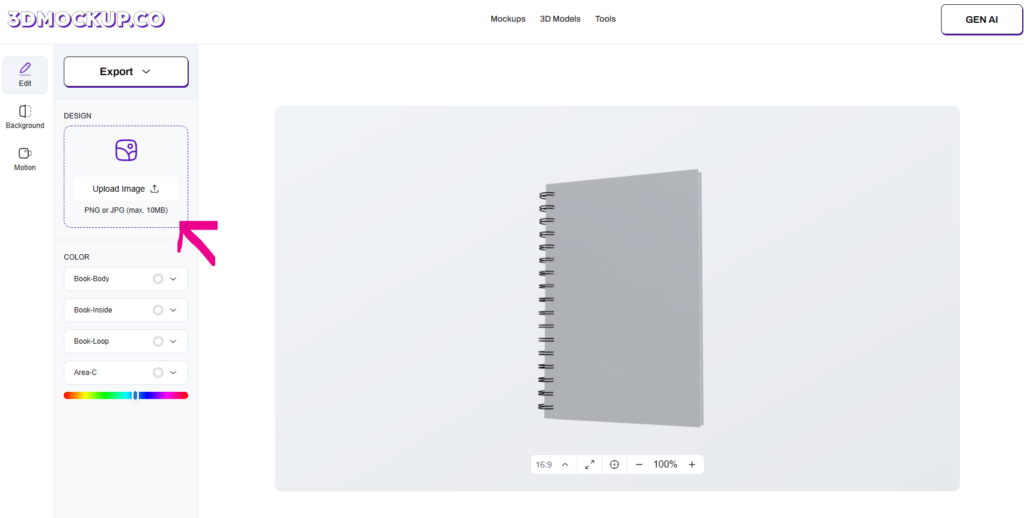
Open the book mockup that you selected. This will take you to the editor page. On the left side, upload your book cover design.
After uploading, you will get customization options. You can adjust the position of your book cover as per your need.
Once everything looks good, set the placement properly.
Step 5 – Download Your Mockup
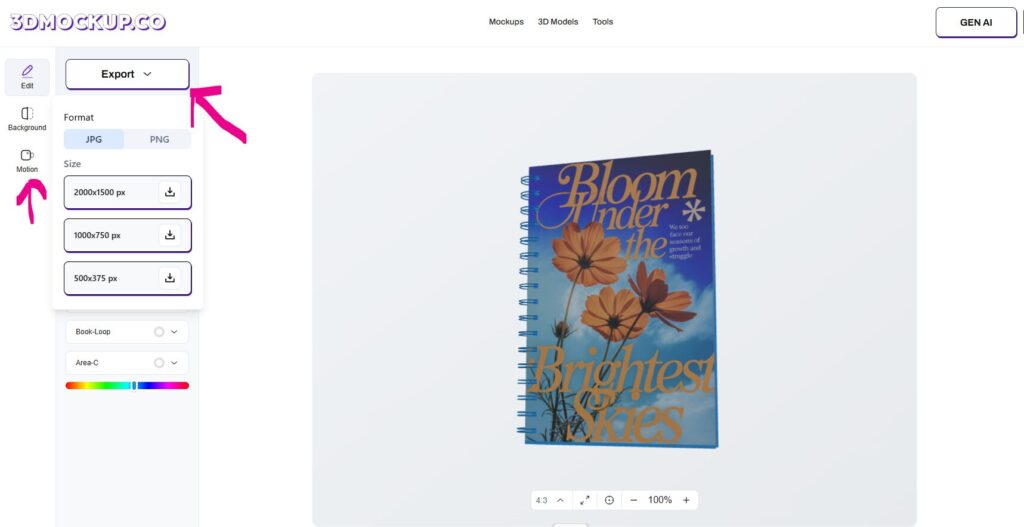
When you are satisfied with the placement and customization in the preview, go back to the editor.
- Here, you can:
- Adjust colors
- Change the background or upload a custom background
- Use ready-made backgrounds like gradient or HDR
After that, you can download your 3D book mockup in JPG or PNG format.
Apart from images, 3DMockup.co also provides 8 different animated motion video formats. You can download an animated 3D book mockup from there. Please note: Animation downloads are available only in the Pro plan.
If you choose the Pro plan, you get full access to all tools on the platform. You can easily download animations for 3D t-shirt mockups, 3D hoodie mockups, 3D Mug Mockups and many other mockups. Along with this, you also get access to 3D models, which is one of the best features of the Pro plan.
Quick Tips for a Better Book Mockup
- Use a high-quality cover design (no blur)
- Choose a simple background for ads and online stores
- If the cover has dark colors, try a light background
- Make 2–3 mockups and test which looks best on Instagram / website
- Keep branding consistent if you are making for a client
Conclusion
Creating a 3D book mockup is one of the easiest ways to show your book cover in a professional and realistic way. It helps your design look clean, clear, and trustworthy to buyers and clients.
With 3DMockup.co, which is a great Packdora alternative, you can easily create beautiful 3D book mockups without using hard tools like Photoshop or Blender. Everything is simple and beginner-friendly, so anyone can use it without design experience.
This tool saves a lot of time and effort. You don’t have to struggle with complex 3D clothing design software. Instead, you can quickly make mockups and focus more on what really matters—your sales, marketing, and growing your work.
Overall, 3DMockup.co is a smart, time-saving solution that improves your productivity and helps you work faster and better.
FAQs
Is 3DMockup.co the best 3D book mockup generator?
3DMockup.co is one of the best tools for creating 3D book mockups online. It is easy to use, fast, and made for beginners as well as professionals. You can create realistic book mockups without using complex design software.
Does 3DMockup.co offer customization options?
Yes, 3DMockup.co provides many customization options. You can upload your own book cover, adjust its position, change backgrounds, and customize the look of the mockup to match your brand or project needs.
Can I view my GLB file in 3D using 3DMockup.co?
Yes. 3DMockup.co has a 3D viewer tool that allows you to upload and view your GLB files online. You can rotate, zoom, and inspect your 3D files directly in the browser without installing any software.
Do I need Photoshop or Blender to create a 3D book mockup?
No, you don’t need Photoshop, Blender, or any hard 3D design tools. With 3DMockup.co, you can create 3D book mockups easily using drag and drop, which saves time and boosts productivity.